Make Your Notifications Come Alive
Edge lighting, particles and emoji that play when a notification arrives, with a different effect for every app and every person you choose. Notifications are processed on your phone.
Free to try with the Bubbles effect on WhatsApp and the charging animation. Most other features are Premium.
Promo Video Aura Notify in 30 seconds
Try it free
The Bubbles effect for WhatsApp notifications, the live effect studio to preview it, and the charging animation (on by default).
Unlock everything
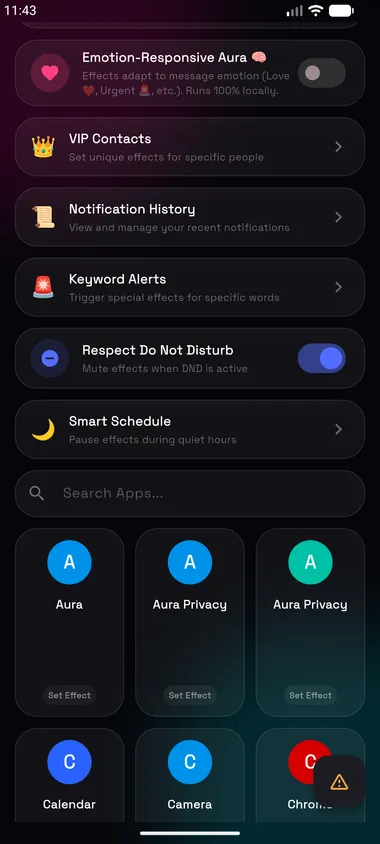
All 30 effects and 10 motion styles for any app, the call animation, VIP Contacts, Keyword Alerts, Emotion Aura, Notification History and Smart Schedule.
Popup styles & fonts
Dynamic Island, Neon, Glass, Metallic and more popup styles, plus custom fonts, come with a paid lifetime purchase.
See It in Action
Real screenshots from the app. Tap any phone to see it up close.
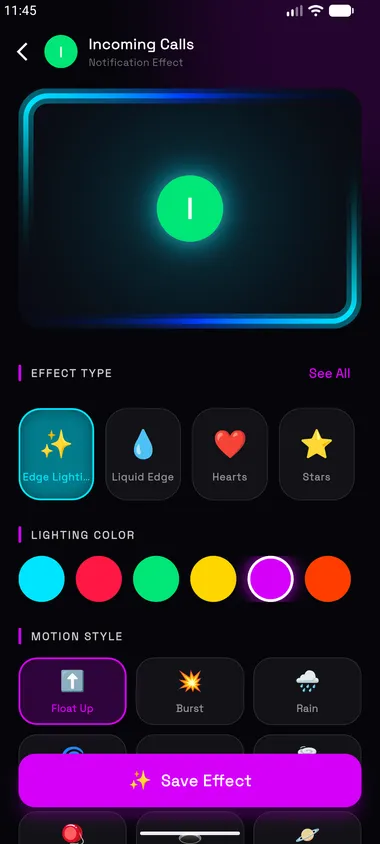
- Edge Lighting in the effect studio
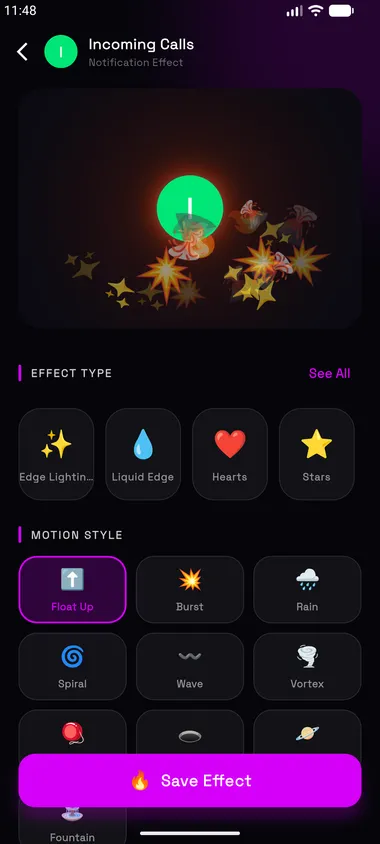
- Particle effects with motion styles
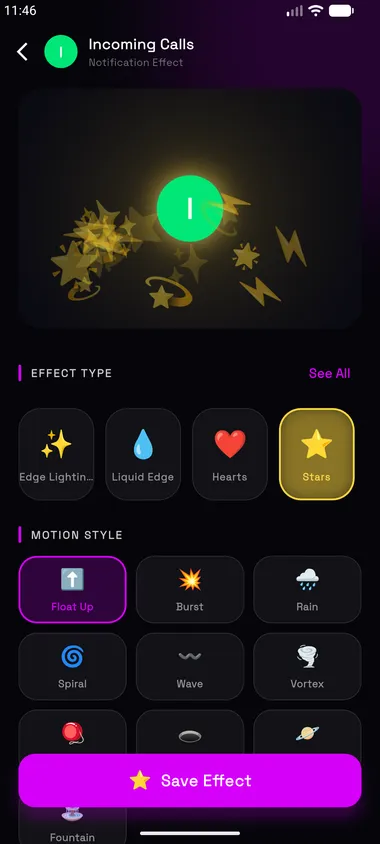
- Stars effect, Float Up motion
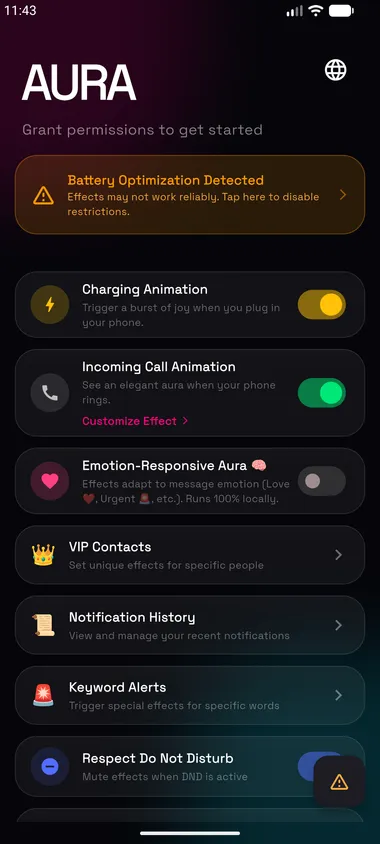
- Main screen
- Pick an effect per app
What Aura Notify Does
Every feature below is what the app does today.
Animated Notification Effects
30 effects, from Edge Lighting and Liquid Edge to Hearts, Fire, Confetti, Galaxy and Matrix, with 10 motion styles like Burst, Rain, Spiral and Vortex. Pick a different effect for each app.
Live Effect Studio
Preview an effect, its motion and its color live before you save it. Free users can try it with the Bubbles effect.
Charging Animation
An effect plays the moment you plug in, chosen by your battery level: fire, stars, confetti or a celebration. On by default; switching it back on after turning it off needs Premium.
Incoming Call Animation
See an effect around your screen when your phone rings.
VIP Contacts
Give the people who matter their own effect, so you know who is messaging before you read it.
Keyword Alerts
A special effect when a notification contains a word you choose. Keyword alerts still show during your Quiet Hours.
Emotion Aura
Words like "love" or "urgent" in a message pick a matching effect automatically. It works by matching words on your phone.
Notification History
Look back at recent notifications. Kept on your phone only and deleted automatically after 7 days.
Smart Schedule & Do Not Disturb
Pause effects during quiet hours, and mute them when your phone is on Do Not Disturb.
Popup Styles & Fonts
Show notifications in styles like Dynamic Island, Neon, Glass or Metallic, with custom fonts.
Your Notifications Stay on Your Phone
- The app reads a notification on your phone only to pick its effect. Notification content is never uploaded.
- Notification History, VIP names, keywords and settings are stored on your phone. History older than 7 days is deleted automatically.
- No ads and no analytics in the app. Purchases go through Google Play and RevenueCat.
Questions
Is Aura Notify free?
You can use it for free with the Bubbles effect on WhatsApp notifications. The charging animation is also on by default. Everything else, including the other effects, effects for other apps, the call animation, VIP Contacts, Keyword Alerts and Notification History, needs Premium. Popup styles and custom fonts need a paid lifetime purchase.
Does Aura Notify read my messages?
It reads the notification (app, title and text) on your phone to pick the right effect, for example for VIP Contacts, Keyword Alerts and Emotion Aura. Notification content is never sent off your phone.
Where is my notification history stored?
Only on your phone. Entries older than 7 days are deleted automatically, and you can clear the history at any time.
Why does it need "Display over other apps"?
To draw the animation on top of the app you are using. It does not capture or record your screen.
Will effects show when my phone is on Do Not Disturb?
You can turn on "Respect Do Not Disturb" to mute effects whenever Do Not Disturb would block the notification, and use Smart Schedule to pause effects at set hours.
Give Every Notification Its Own Look
Get Aura Notify on Google Play and try it free with WhatsApp.